
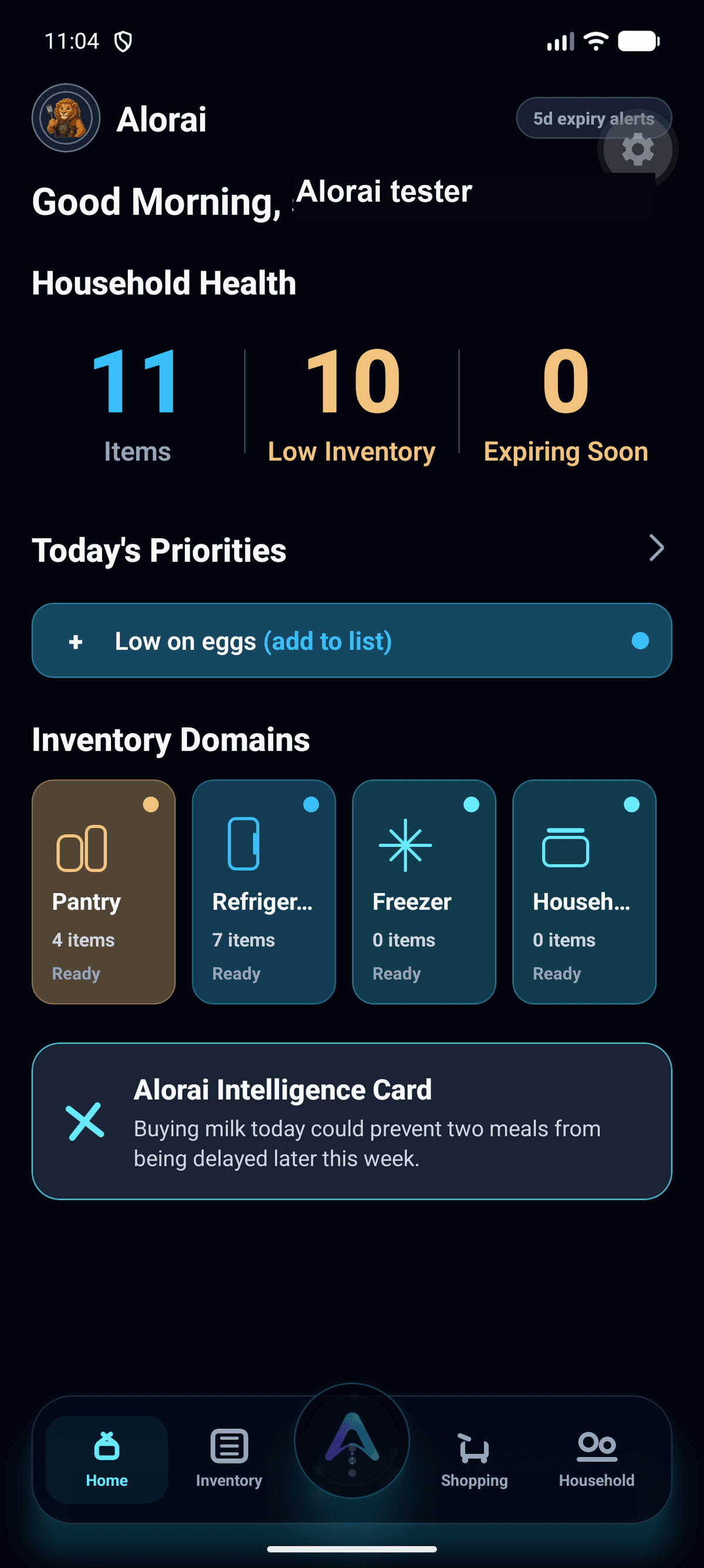
Add inventory
Use the center action
Tap the center Alorai button whenever you need to add household inventory.
Alorai helps households understand what they have, use food before it expires, build smarter shopping lists, and reduce duplicate grocery runs.
 Greek yogurt2 days
 Milk3 days
 Spinach4 days
 Bread5 days
 RicePantry
 EggsFridge
 Frozen berriesFreezer
 ShoppingHousehold
Know what is already at home.
Use food while it is still good.
Shop with less guesswork.
This screenshot guide mirrors the in-app walkthrough and focuses only on capabilities available in the current mobile product.
Tap the center Alorai button whenever you need to add household inventory.
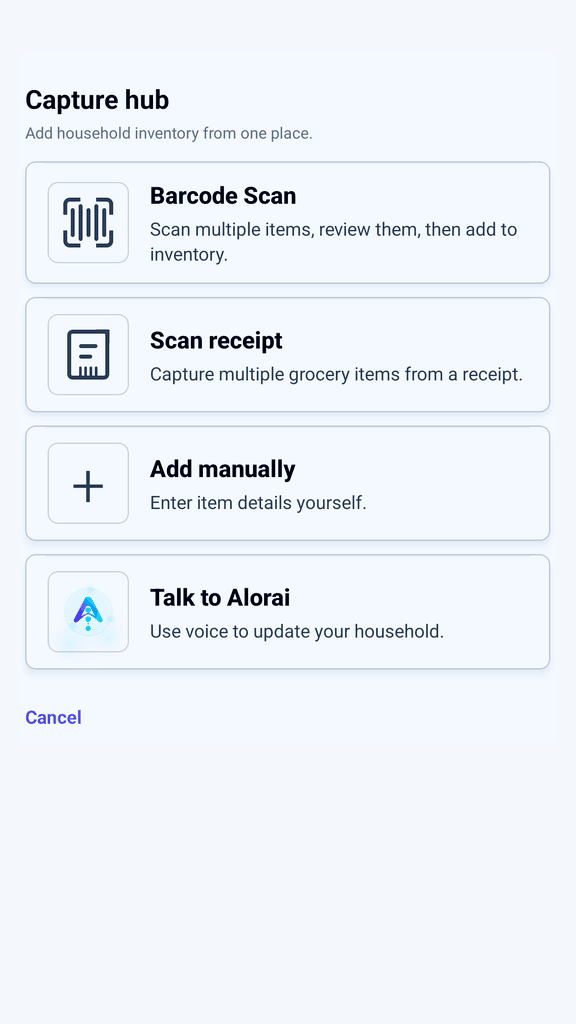
Choose barcode scan, receipt scan, manual entry, or Talk to Alorai from one action menu.
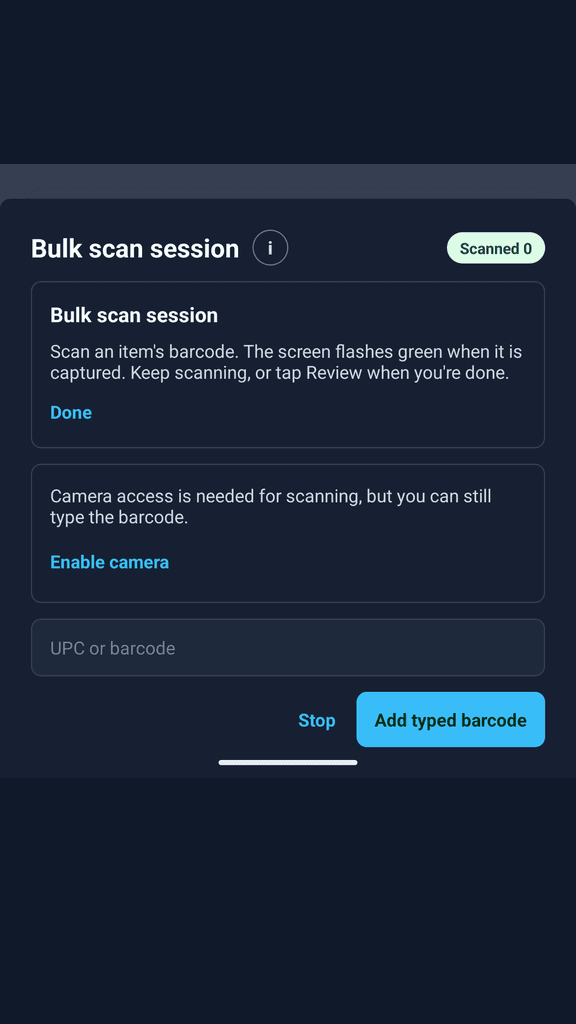
Use barcode scanning for packaged groceries, then review the result before saving it to household inventory.
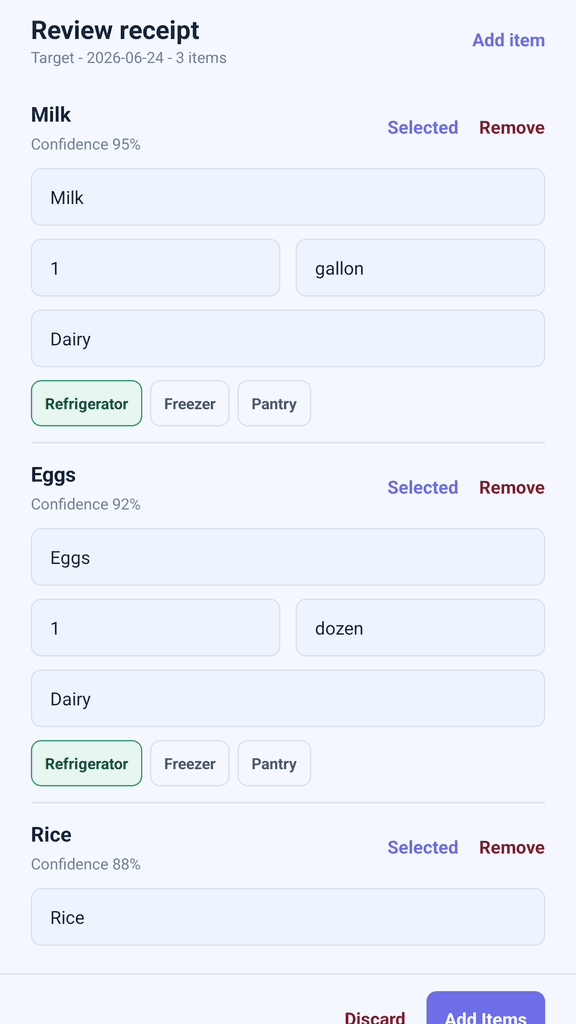
Scan a receipt after a grocery trip and review extracted rows before adding selected items.
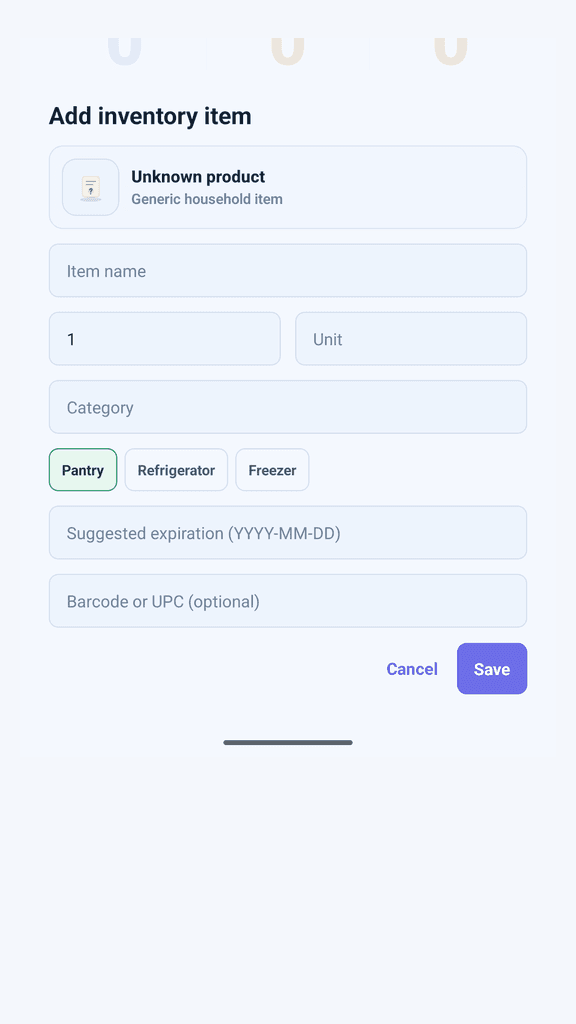
Manual entry remains available when a barcode is missing or receipt extraction needs a fallback.
Navigate Pantry, Refrigerator, and Freezer, the inventory storage locations available in the current product.
Home summaries and Inventory filters surface low-stock information when threshold warnings are active.
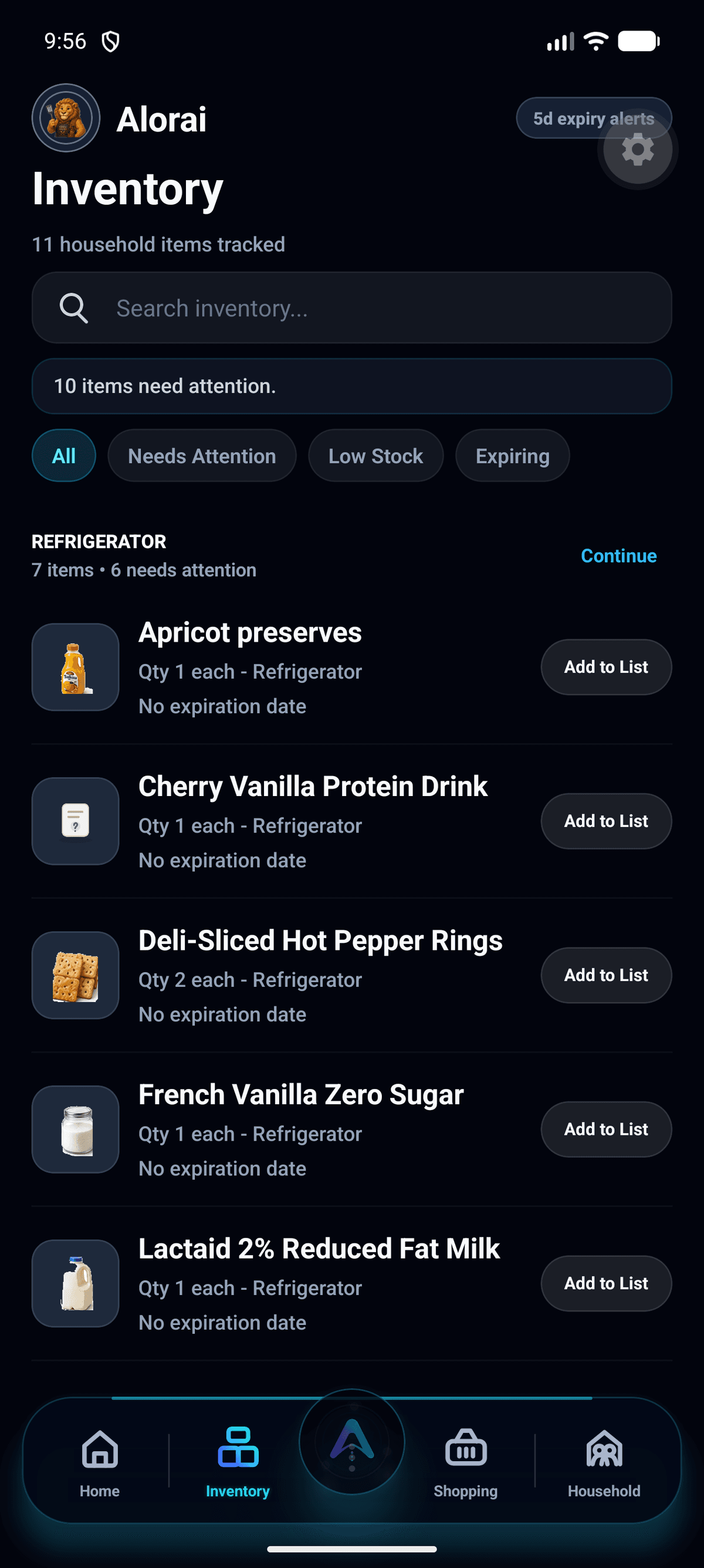
Use Needs Attention and Expiring filters to find items that should be used or reviewed soon.
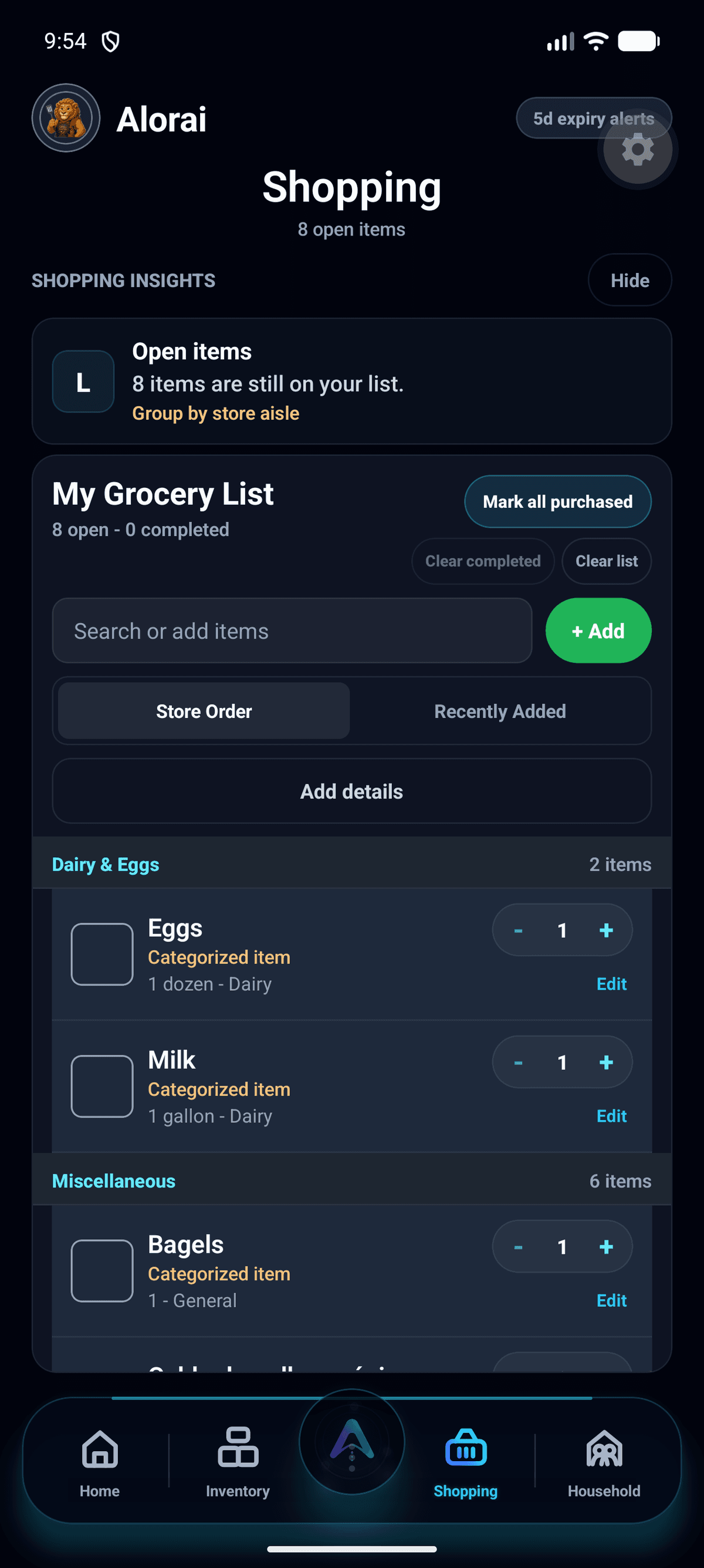
Use the Shopping tab for quick add, quantity updates, completed items, and recommendations from expiring inventory.
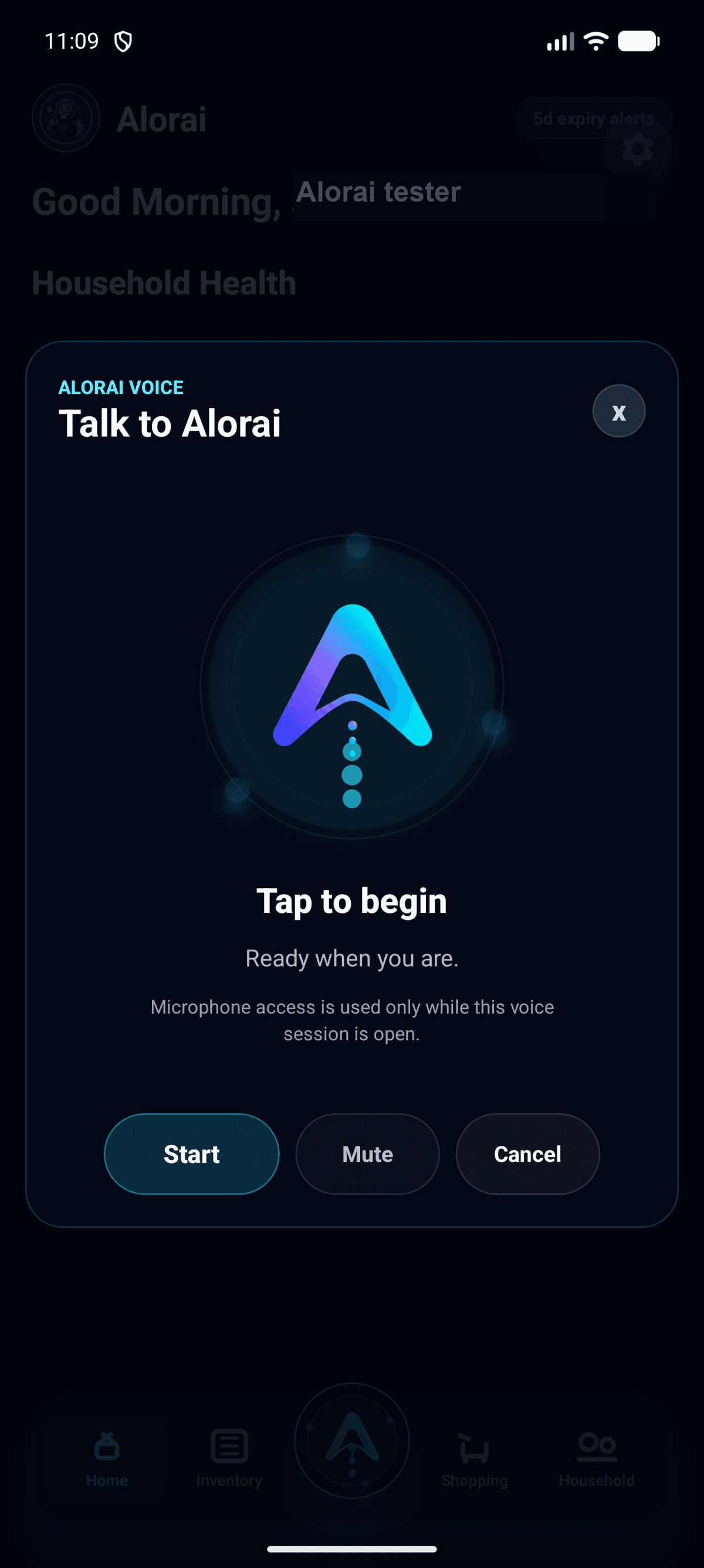
Open Talk to Alorai from the Capture hub or by long-pressing the center button when Voice is enabled.
Add grocery trips with receipt capture, barcode-assisted entry, and manual edits when the household knows best.
Keep today's core food storage locations organized with quantities, search, filters, and item details.
Turn what you have into what to use next and what to buy, without making grocery planning feel like a spreadsheet.
Scan receipts, scan barcodes, or add an item by hand when that is faster.
Alorai organizes items by household and storage location, then tracks quantity and expiration context.
Use shopping lists, expiration warnings, and inventory-aware suggestions to make better everyday decisions.
Alorai currently supports the core food storage locations below. The broader household map is vision, not a shipped claim.
The pantry is the first chapter. Every receipt scanned, every item tracked, and every shopping decision captured helps build toward a household digital twin: a useful model of what the home has, needs, wastes, and uses over time.
Household-first data boundaries
Firebase for identity, PostgreSQL as the product system of record
No fake community counts, ratings, or savings claims
Product analytics are privacy-safe and first-party
No. Pantry is the first implemented surface, alongside refrigerator and freezer inventory, but the product direction is broader household inventory intelligence.
No. Shipped MVP capabilities are separated from future evolution so visitors can understand both today's value and the larger direction.
Product analytics are first-party and privacy-safe. They are used to understand feature usage without selling personal household data.